Variable Radius Pie Chart
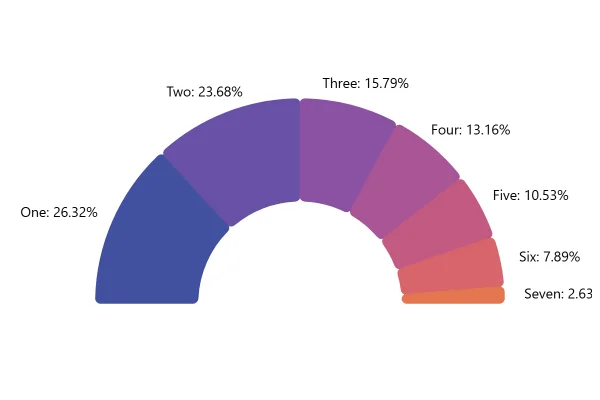
A pie where slices differ in length as well as width: the bigger the value, the further a slice reaches from the middle. The largest parts stand out at once.
About this chart
When variable radius works
Size counts twice here, in the angle and in the length, so differences look bigger than in a plain pie. That makes it striking for showing who leads, and a poor fit for exact proportions.
Good for
- A clear winner, or a long tail
- Infographics that need to catch the eye
- Ranked data, where the order matters more than the exact share
Think twice when
- Shares that people should compare precisely
- Values that are all about the same: every slice looks alike
- Readers who take the area as the value
For developers
Get the code.
Built with amCharts 5, a JavaScript library. The code includes your theme and renderer (canvas or SVG), but not the changes you make with the controls.
For projects that use npm:
How it reads:
npm install @amcharts/amcharts5. See Getting started.
The same chart as a JSON config. Chart Maker reads and writes this format, the library's JSON parser turns it into a chart, and the <am5-chart> element puts it on a page with no code.How it reads:
"type" is the class to create and "settings" what you would pass to its new() in code; "properties" fill in its parts, lists such as series and axes or templates such as columns.template; "refs" holds objects used in more than one place ("#series-0" stands for the one named series-0); a string starting with "@" takes a value from another object, such as "@series.get('fill')".
A complete page. Save it as an .html file and open it in a browser.
Paste this into an AI coding assistant to build the chart from scratch. More in amCharts & AI.
// Create root element
// https://docs.amcharts.com/v5/getting-started/#root-element
var root = am5.Root.new("chartdiv");

// Set themes
// https://docs.amcharts.com/v5/concepts/themes/
root.setThemes([
  am5themes_Animated.new(root),
  am5themes_Responsive.new(root)
]);

// Create chart
// https://docs.amcharts.com/v5/charts/percent-charts/pie-chart/
var chart = root.container.children.push(am5percent.PieChart.new(root, {
  layout: root.verticalLayout // the legend goes under the pie
}));

// Create series
// https://docs.amcharts.com/v5/charts/percent-charts/pie-chart/#series
var series = chart.series.push(am5percent.PieSeries.new(root, {
  alignLabels: true, // labels line up in columns at the sides
  // works out the highest value, which the radius adapter below measures the slices against
  calculateAggregates: true,
  valueField: "value",
  categoryField: "category"
}));

series.slices.template.setAll({
  strokeWidth: 3, // 3px gaps between the slices
  stroke: root.interfaceColors.get("background") // gaps in the background color, light or dark
});

// 30px of room above the labels at the top, so the highest ones stay in view
series.labelsContainer.set("paddingTop", 30);

// Set up adapters for variable slice radius
// https://docs.amcharts.com/v5/concepts/settings/adapters/
series.slices.template.adapters.add("radius", function (radius, target) {
  var dataItem = target.dataItem;
  var high = series.getPrivate("valueHigh");

  if (dataItem) {
    // the value as it animates, so a slice hidden from the legend shrinks away
    var value = target.dataItem.get("valueWorking", 0);
    return radius * value / high // the biggest value gets the full radius, the rest in proportion
  }
  return radius;
});

// Set data
// https://docs.amcharts.com/v5/charts/percent-charts/pie-chart/#setting-data
series.data.setAll([{
  value: 10,
  category: "One"
}, {
  value: 9,
  category: "Two"
}, {
  value: 6,
  category: "Three"
}, {
  value: 5,
  category: "Four"
}, {
  value: 4,
  category: "Five"
}, {
  value: 3,
  category: "Six"
}]);

// Create legend
// https://docs.amcharts.com/v5/charts/percent-charts/legend-percent-series/
var legend = chart.children.push(am5.Legend.new(root, {
  centerX: am5.p50, // centered under the pie
  x: am5.p50,
  marginTop: 15, // 15px of room above and below
  marginBottom: 15
}));

legend.data.setAll(series.dataItems);

// Play initial series animation
// https://docs.amcharts.com/v5/concepts/animations/#animation-of-series
series.appear(1000, 100);