Map Timeline
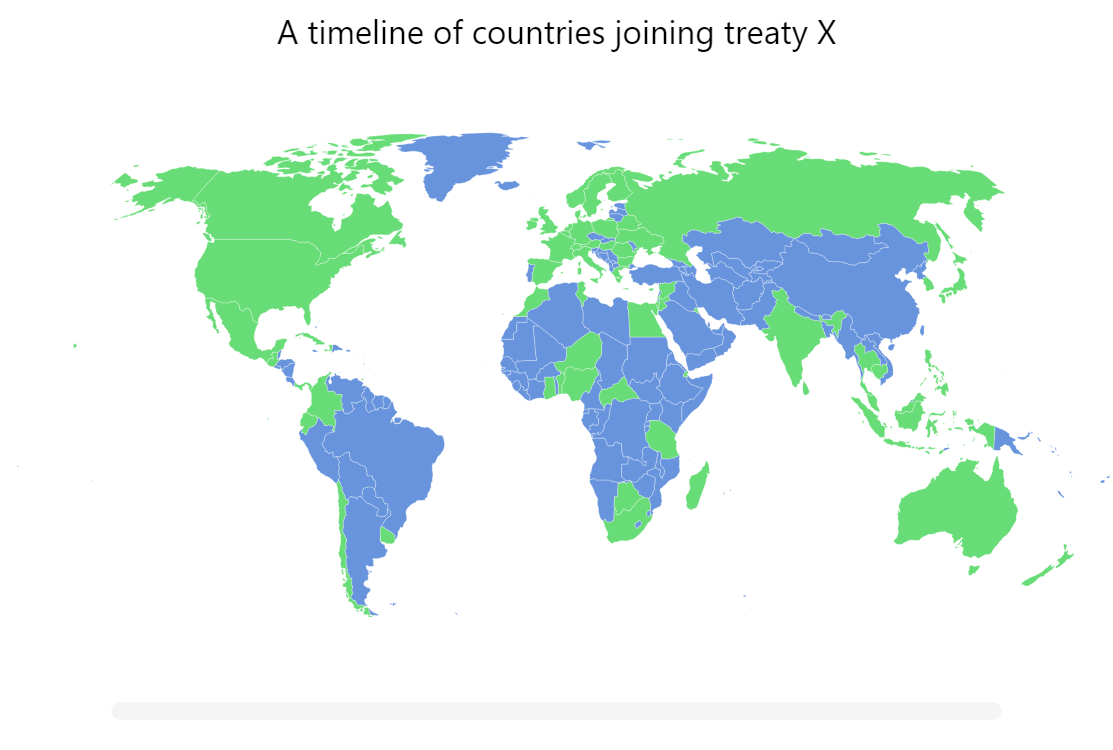
This is a demo visualizing event timeline on a map. Drag the year slider below the map and countries on a map light up as the slider crosses the year when that country joined a [fictional] treaty.
Key implementation details
We create a Slider with year range from our data. Then when the value (range) of the slider changes we update our country polygons and set active on the countries that joined the treaty that year or earlier.
Related tutorials
Build this chart with AI
The prompt below can be used to build this chart with AI. For best coding results, use the most advanced AI models, like Claude Opus 4.6 and GPT-5.3-Codex. For more info and tips, check out amCharts AI docs.
Create an interactive world map with a draggable timeline slider that progressively highlights countries based on the year they joined a fictional treaty (years ranging from 1959 to 2021). Countries should change to a highlighted color when their join year is at or before the slider's current position. Include a play button that animates the slider automatically through the full year range, causing countries to progressively light up. Display the current year in a label on the slider. Show country name tooltips on hover. Clicking on the background (water) should reset to the home view. Exclude Antarctica and apply smooth entrance animations. Data format should be objects with 'year' (integer) and 'country' (2-letter ISO code) properties. Use amCharts 5 library.
Demo source