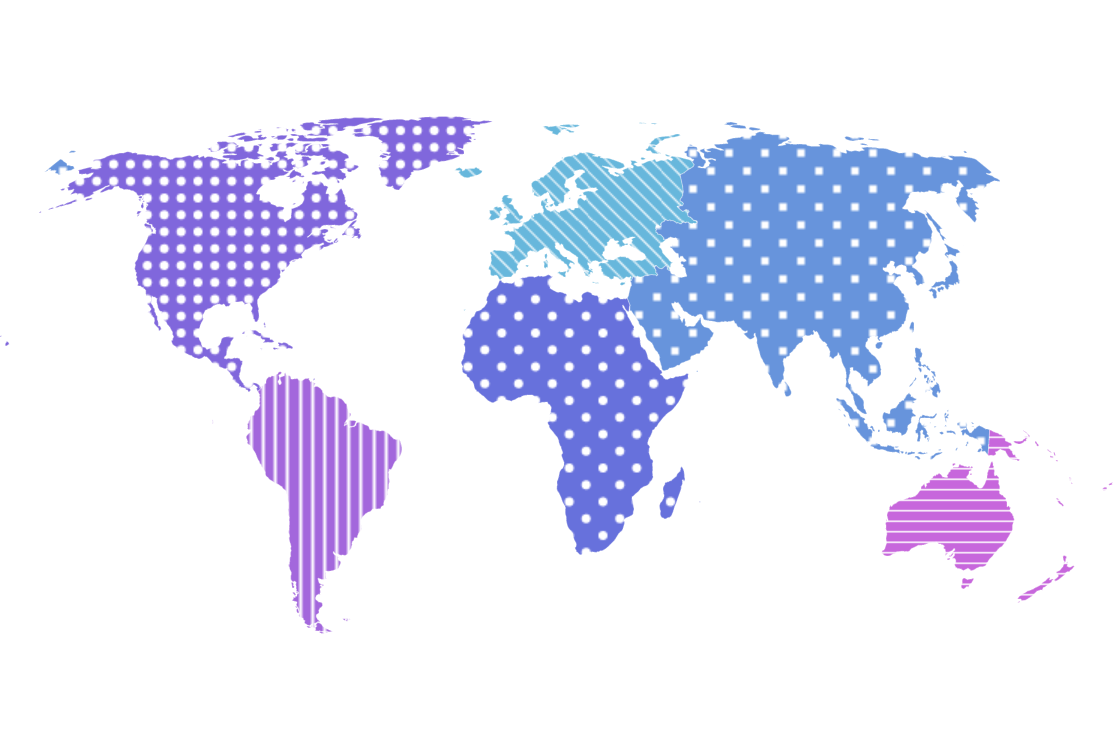
Map with Patterns
Using patterns instead or in addition to colors is a great way to not only achieve a different look but also to improve readability of the charts for your color blind viewers.
Key implementation details
Items in the MapPolygonSeries have a fillPattern setting that can be used to specify the pattern fill for the particular polygon. In this demo we use LinePattern, RectanglePattern, and CirclePattern. Additionally, we add variety by customizing some parameters of the patterns like checkered for the rectangle and circle patterns, or rotation for the line pattern.
Related tutorials
Build this chart with AI
The prompt below can be used to build this chart with AI. For best coding results, use the most advanced AI models, like Claude Opus 4.6 and GPT-5.3-Codex. For more info and tips, check out amCharts AI docs.
Create a world map showing six continents (excluding Antarctica) using fill patterns. Apply distinct fill patterns to each continent: diagonal line patterns for Europe, South America, and Oceania; a checkered square pattern for Asia; and a circular dot pattern for Africa and North America. Assign each continent an automatic color. Apply a darker fill color on hover. Show continent names in tooltips. Use a Natural Earth projection with horizontal panning. Use amCharts 5 library.
Demo source