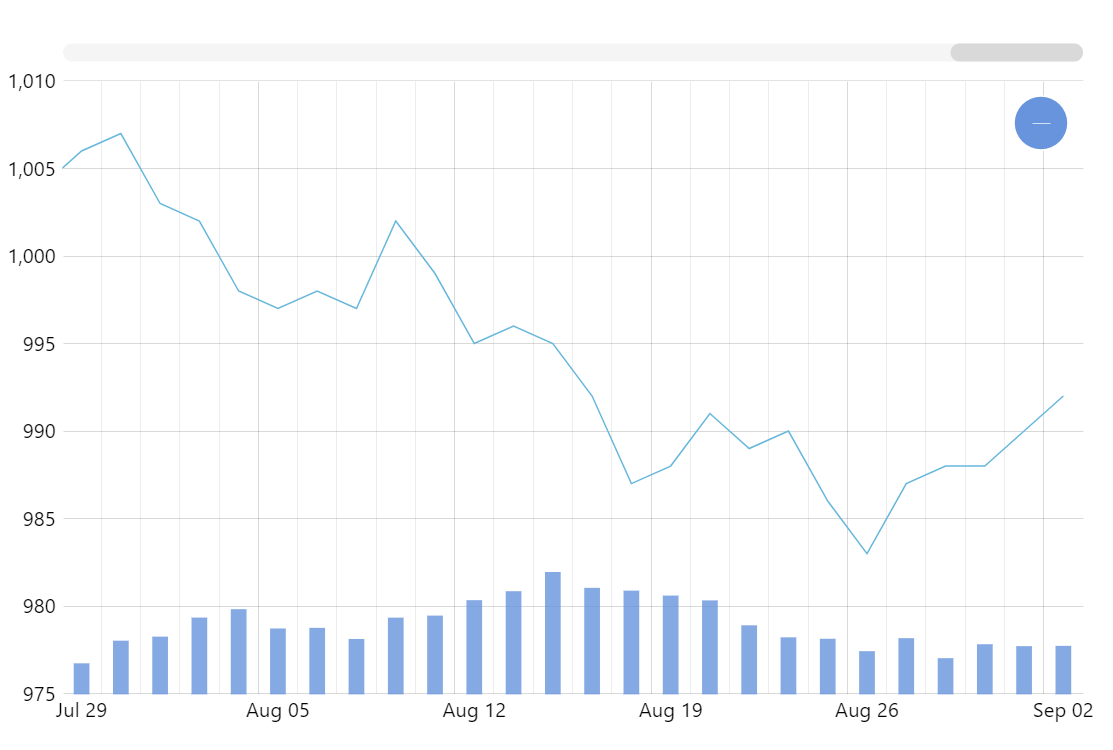
It’s a common scenario, especially in financial data, that you have non-continuous data – there are gaps at night or on weekends or holidays. And it is a widespread practice that these gaps are not displayed on the axis, showing only the dates that have data. For this purpose, we created a GaplessDateAxis class, which addresses this use-case. Just replace your DateAxis with this class and that’s it – no more gaps in your chart.
Related tutorials
Build this chart with AI
The prompt below can be used to build this chart with AI. For best coding results, use the most advanced AI models, like Claude Opus 5 and GPT-5.6-Codex. For more info and tips, check out amCharts AI docs.
Create a dual-panel chart that skips weekends/holidays so only business days appear with no gaps. The top panel shows a line series with 200 business-day price points; the bottom panel (~25% height) shows a column series for volume with semi-transparent fill. Both share the same gapless date axis. Include an XY cursor with vertical line only, tooltips for both series, pan/zoom, horizontal scrollbar, and minor grid lines. Animate on load. Use amCharts 5 library.
Demo source