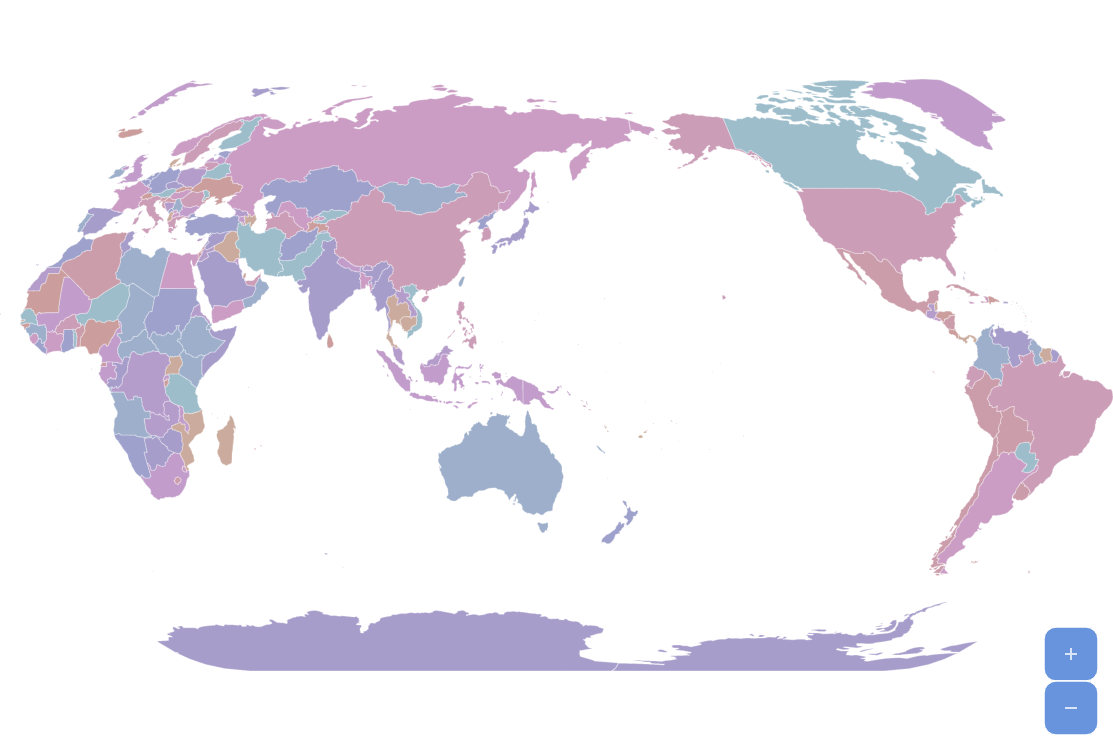
World map in amCharts 5 can be Pacific-centered, this is useful for Asian countries which often use this kind of map. Actually you can center the map at any longitude – drag the map to change its center.
Key implementation details
Setting rotationX property on a Map Chart “moves” the center to the required position (-154.8 in this case for a Pacific-centered map).
Related tutorials
Build this chart with AI
The prompt below can be used to build this chart with AI. For best coding results, use the most advanced AI models, like Claude Opus 5 and GPT-5.6-Codex. For more info and tips, check out amCharts AI docs.
Create a world map centered on the Pacific Ocean. Fill countries with rotating colors from a palette at reduced saturation, slightly transparent, becoming fully opaque on hover. Display a subtle graticule grid. Show country name tooltips. Include zoom controls with a home button. Clicking the ocean background should return to the home view. Enable draggable panning so users can dynamically adjust the center longitude. Animate the map on load. Use amCharts 5 library.
Demo source