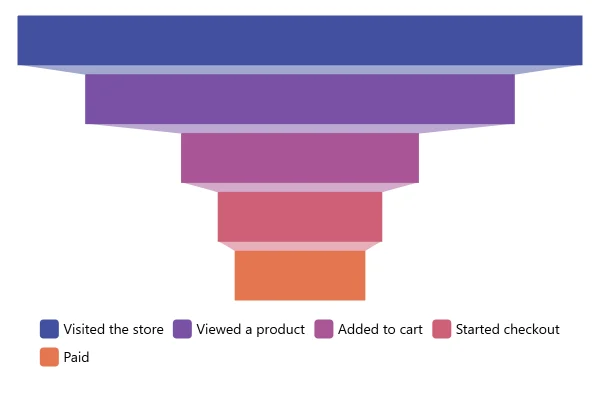
Pyramid Chart
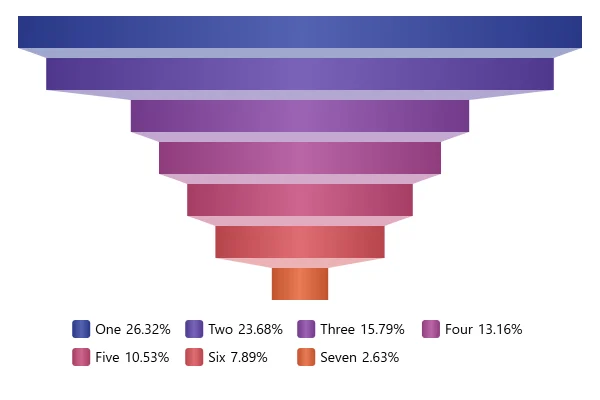
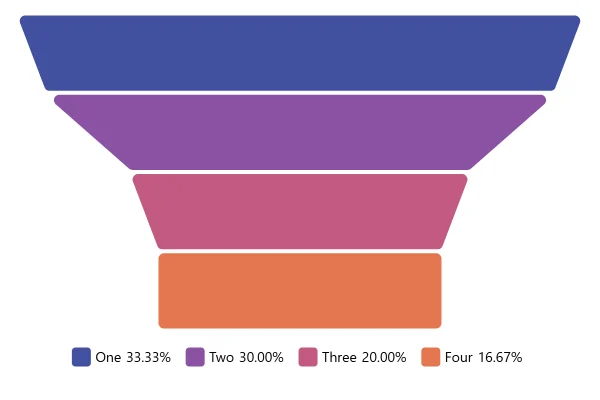
A pyramid stacks the parts of a whole from the largest at the base to the smallest at the top. Each level’s area matches its share; switch to height to compare.
About this chart
Area or height?
A pyramid narrows towards the top, so a level sized by its height looks smaller than its value. Sized by area, the default, each level takes the share of the pyramid it stands for. Use a pyramid when the parts have an order, from a broad base to a small top.
Good for
- Levels with a natural order, base to top
- Customer tiers, team levels or price plans
- Showing how much the base outweighs the top
Think twice when
- Parts with no order: a pie or bar chart fits better
- Exact comparisons: sloped sides make levels hard to measure
- A base that isn’t the biggest part: the shape will mislead
For developers
Get the code.
Built with amCharts 5, a JavaScript library. The JavaScript includes your theme and renderer (canvas or SVG); the JSON also follows the changes you make with the controls.
For projects that use npm:
How it reads:
npm install @amcharts/amcharts5. See Getting started.
The same chart as a JSON config. Chart Maker reads and writes this format, the library's JSON parser turns it into a chart, and the <am5-chart> element puts it on a page with no code.How it reads:
"type" is the class to create and "settings" what you would pass to its new() in code; "properties" fill in its parts, lists such as series and axes or templates such as columns.template; "refs" holds objects used in more than one place ("#series-0" stands for the one named series-0); a string starting with "@" takes a value from another object, such as "@series.get('fill')".
A complete page. Save it as an .html file and open it in a browser.
Paste this into an AI coding assistant to build the chart from scratch. More in amCharts & AI.
// Create root element
// https://docs.amcharts.com/v5/getting-started/#root-element
var root = am5.Root.new("chartdiv");

// Set themes
// https://docs.amcharts.com/v5/concepts/themes/
root.setThemes([
  am5themes_Animated.new(root),
  am5themes_Responsive.new(root)
]);

// Create chart
// https://docs.amcharts.com/v5/charts/percent-charts/sliced-chart/
var chart = root.container.children.push(am5percent.SlicedChart.new(root, {
  layout: root.verticalLayout // the legend goes under the pyramid
}));

// Create series
// https://docs.amcharts.com/v5/charts/percent-charts/sliced-chart/#series
var series = chart.series.push(am5percent.PyramidSeries.new(root, {
  orientation: "vertical", // an upright pyramid, slices stacked top to bottom
  valueField: "value",
  categoryField: "category"
}));

// Set data
// https://docs.amcharts.com/v5/charts/percent-charts/sliced-chart/#setting-data
// reversed, so One sits at the wide base and Seven at the tip
series.data.setAll([
  { value: 10, category: "One" },
  { value: 9, category: "Two" },
  { value: 6, category: "Three" },
  { value: 5, category: "Four" },
  { value: 4, category: "Five" },
  { value: 3, category: "Six" },
  { value: 3, category: "Seven" }
].reverse());

// Play initial series animation
// https://docs.amcharts.com/v5/concepts/animations/#animation-of-series
series.appear();

// Create legend
// https://docs.amcharts.com/v5/charts/percent-charts/legend-percent-series/
var legend = chart.children.push(am5.Legend.new(root, {
  centerX: am5.percent(50), // the legend's middle...
  x: am5.percent(50),       // ...at the middle of the chart
  marginTop: 15,            // 15px of space above the legend...
  marginBottom: 15          // ...and below it
}));

// the legend reversed back, so it lists One first
legend.data.setAll(am5.array.copy(series.dataItems).reverse());

// Make stuff animate on load
// https://docs.amcharts.com/v5/concepts/animations/
chart.appear(1000, 100);
{
"type": "SlicedChart",
"settings": {
"layout": {
"type": "VerticalLayout"
}
},
"properties": {
"series": [
"#series-0"
]
},
"children": [
{
"type": "Legend",
"settings": {
"centerX": {
"type": "Percent",
"value": 50
},
"x": {
"type": "Percent",
"value": 50
},
"marginTop": 15,
"marginBottom": 15
},
"properties": {
"data": [
"#series-0.dataItems.6",
"#series-0.dataItems.5",
"#series-0.dataItems.4",
"#series-0.dataItems.3",
"#series-0.dataItems.2",
"#series-0.dataItems.1",
"#series-0.dataItems.0"
]
}
}
],
"refs": [
{
"data-0": [
{
"value": 3,
"category": "Seven"
},
{
"value": 3,
"category": "Six"
},
{
"value": 4,
"category": "Five"
},
{
"value": 5,
"category": "Four"
},
{
"value": 6,
"category": "Three"
},
{
"value": 9,
"category": "Two"
},
{
"value": 10,
"category": "One"
}
]
},
{
"series-0": {
"type": "PyramidSeries",
"settings": {
"orientation": "vertical",
"valueField": "value",
"categoryField": "category"
},
"properties": {
"data": "#data-0"
}
}
}
]
}