Variable-Radius Nested Donut Chart
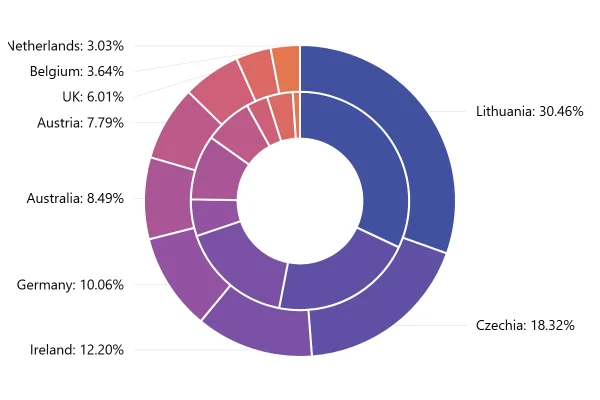
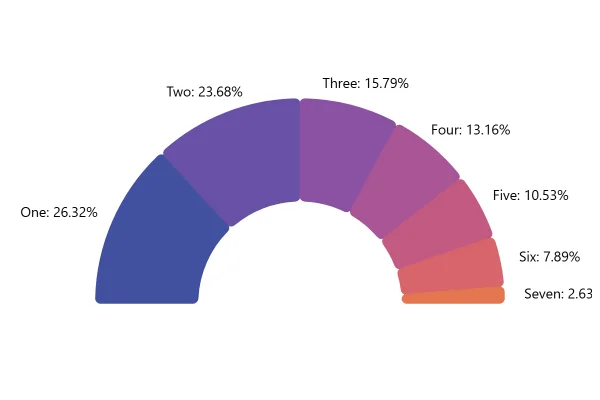
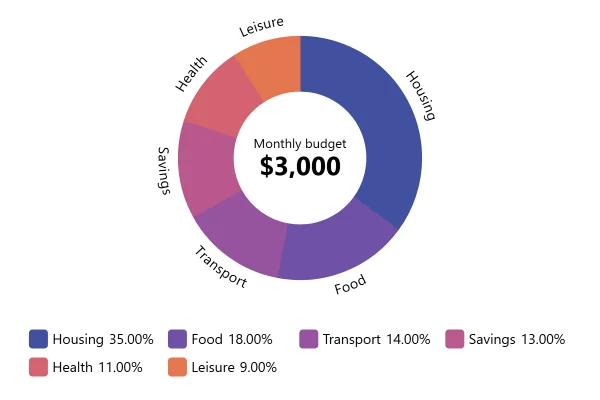
A thin ring inside a wide one, drawn as an open arc, with the total in the gap: litres on the inner ring, bottles on the outer, for nine countries.
About this chart
When an open ring works
Leaving part of the circle open makes room for a headline number, and two thin rings compare two measures of the same countries without a busy middle. It suits a dashboard tile where the total matters as much as the split.
Good for
- Dashboard tiles: a total with its breakdown
- Two related measures, like volume and units
- Gauge-like layouts that still show categories
Think twice when
- Reading exact shares: thin rings are hard to measure
- Many categories in similar colors
- When the open gap could look like a missing part
For developers
Get the code.
Built with amCharts 5, a JavaScript library. The JavaScript includes your theme and renderer (canvas or SVG); the JSON also follows the changes you make with the controls.
For projects that use npm:
How it reads:
npm install @amcharts/amcharts5. See Getting started.
The same chart as a JSON config. Chart Maker reads and writes this format, the library's JSON parser turns it into a chart, and the <am5-chart> element puts it on a page with no code.How it reads:
"type" is the class to create and "settings" what you would pass to its new() in code; "properties" fill in its parts, lists such as series and axes or templates such as columns.template; "refs" holds objects used in more than one place ("#series-0" stands for the one named series-0); a string starting with "@" takes a value from another object, such as "@series.get('fill')".
A complete page. Save it as an .html file and open it in a browser.
Paste this into an AI coding assistant to build the chart from scratch. More in amCharts & AI.
// Create root element
// https://docs.amcharts.com/v5/getting-started/#root-element
var root = am5.Root.new("chartdiv");

// Set themes
// https://docs.amcharts.com/v5/concepts/themes/
root.setThemes([
  am5themes_Animated.new(root),
  am5themes_Responsive.new(root)
]);

// Create chart
// https://docs.amcharts.com/v5/charts/percent-charts/pie-chart/
var chart = root.container.children.push(
  am5percent.PieChart.new(root, {
    // a 220 degree arc over the top, open at the bottom
    startAngle: 160, endAngle: 380
  })
);

// Create series
// https://docs.amcharts.com/v5/charts/percent-charts/pie-chart/#series

var series0 = chart.series.push(
  am5percent.PieSeries.new(root, {
    valueField: "litres",
    categoryField: "country",
    startAngle: 160, // the series need the chart's arc too
    endAngle: 380,
    radius: am5.percent(70), // a thin inner ring, from 65% to 70% of the radius
    innerRadius: am5.percent(65)
  })
);

// shades of the theme's first color for the thin ring, each slice a little darker than the last
var colorSet = am5.ColorSet.new(root, {
  colors: [series0.get("colors").getIndex(0)],
  passOptions: {
    lightness: -0.05, // each next slice 5% darker...
    hue: 0            // ...in the same hue
  }
});

series0.set("colors", colorSet);

// no ticks or labels on the rings: the tooltips name the slices
series0.ticks.template.set("forceHidden", true);
series0.labels.template.set("forceHidden", true);

var series1 = chart.series.push(
  am5percent.PieSeries.new(root, {
    startAngle: 160,
    endAngle: 380,
    valueField: "bottles",        // the outer ring shows bottles, the inner one litres
    innerRadius: am5.percent(80), // from 80% of the radius out to its edge
    categoryField: "country"
  })
);

series1.ticks.template.set("forceHidden", true);
series1.labels.template.set("forceHidden", true);

// The total litres, in the middle of the arc; it follows the slices that are shown
var label = series0.children.push(
  am5.Label.new(root, {
    textAlign: "center", // both lines centered
    centerY: am5.p100,   // the label's bottom edge at the circle's center
    centerX: am5.p50,
    populateText: true, // fills in {valueSum}
    text: "[fontSize:18px]Total litres[/]\n[bold fontSize:30px]{valueSum.formatNumber('#,###.#')}[/]"
  })
);

var data = [
  {
    country: "Lithuania",
    litres: 501.9,
    bottles: 1500
  },
  {
    country: "Czech Republic",
    litres: 301.9,
    bottles: 990
  },
  {
    country: "Ireland",
    litres: 201.1,
    bottles: 785
  },
  {
    country: "Germany",
    litres: 165.8,
    bottles: 255
  },
  {
    country: "Australia",
    litres: 139.9,
    bottles: 452
  },
  {
    country: "Austria",
    litres: 128.3,
    bottles: 332
  },
  {
    country: "UK",
    litres: 99,
    bottles: 150
  },
  {
    country: "Belgium",
    litres: 60,
    bottles: 178
  },
  {
    country: "The Netherlands",
    litres: 50,
    bottles: 50
  }
];

// Set data
// https://docs.amcharts.com/v5/charts/percent-charts/pie-chart/#setting-data
series0.data.setAll(data);
series1.data.setAll(data);
{
"type": "PieChart",
"settings": {
"startAngle": 160,
"endAngle": 380
},
"properties": {
"series": [
"#series-0",
"#series-1"
]
},
"refs": [
{
"data-0": [
{
"country": "Lithuania",
"litres": 501.9,
"bottles": 1500
},
{
"country": "Czech Republic",
"litres": 301.9,
"bottles": 990
},
{
"country": "Ireland",
"litres": 201.1,
"bottles": 785
},
{
"country": "Germany",
"litres": 165.8,
"bottles": 255
},
{
"country": "Australia",
"litres": 139.9,
"bottles": 452
},
{
"country": "Austria",
"litres": 128.3,
"bottles": 332
},
{
"country": "UK",
"litres": 99,
"bottles": 150
},
{
"country": "Belgium",
"litres": 60,
"bottles": 178
},
{
"country": "The Netherlands",
"litres": 50,
"bottles": 50
}
]
},
{
"series-0": {
"type": "PieSeries",
"settings": {
"valueField": "litres",
"categoryField": "country",
"startAngle": 160,
"endAngle": 380,
"radius": {
"type": "Percent",
"value": 70
},
"innerRadius": {
"type": "Percent",
"value": 65
},
"colors": {
"type": "ColorSet",
"settings": {
"colors": [
"@root.interfaceColors.get('primaryButton')",
"@root.interfaceColors.get('primaryButton')",
"@root.interfaceColors.get('primaryButton')",
"@root.interfaceColors.get('primaryButton')",
"@root.interfaceColors.get('primaryButton')",
"@root.interfaceColors.get('primaryButton')",
"@root.interfaceColors.get('primaryButton')",
"@root.interfaceColors.get('primaryButton')",
"@root.interfaceColors.get('primaryButton')"
],
"passOptions": {
"lightness": -0.05,
"hue": 0
}
}
}
},
"properties": {
"data": "#data-0",
"labels": {
"properties": {
"template": {
"settings": {
"forceHidden": true
}
}
}
},
"ticks": {
"properties": {
"template": {
"settings": {
"forceHidden": true
}
}
}
}
},
"children": [
{
"type": "Label",
"settings": {
"textAlign": "center",
"centerY": {
"type": "Percent",
"value": 100
},
"centerX": {
"type": "Percent",
"value": 50
},
"populateText": true,
"text": "[fontSize:18px]Total litres[/]\n[bold fontSize:30px]{valueSum.formatNumber('#,###.#')}[/]"
}
}
]
}
},
{
"series-1": {
"type": "PieSeries",
"settings": {
"startAngle": 160,
"endAngle": 380,
"valueField": "bottles",
"innerRadius": {
"type": "Percent",
"value": 80
},
"categoryField": "country"
},
"properties": {
"data": "#data-0",
"labels": {
"properties": {
"template": {
"settings": {
"forceHidden": true
}
}
}
},
"ticks": {
"properties": {
"template": {
"settings": {
"forceHidden": true
}
}
}
}
}
}
}
]
}