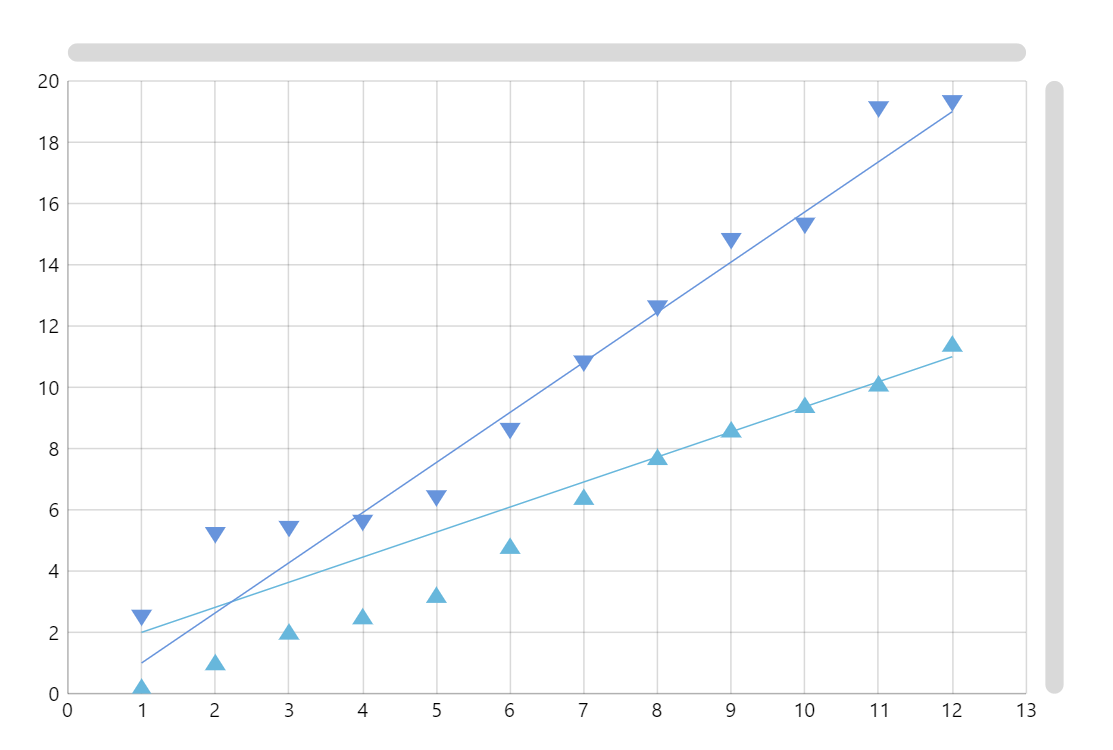
Scatter Chart (also known as Scatter Plot, Scatterplot, Scatter graph, Scattergram, Scatter Diagram) is used to display values in a two-dimensional coordinate system. Each point’s location is determined by one of its coordinates on one axis of the chart and the other coordinate on another axis.
Key implementation details
In amCharts 5 any element can be a bullet. In this case we’re plotting a custom Graphics elements (triangles) as bullets.
Related tutorials
Build this chart with AI
The prompt below can be used to build this chart with AI. For best coding results, use the most advanced AI models, like Claude Opus 5 and GPT-5.6-Codex. For more info and tips, check out amCharts AI docs.
Create a scatter plot with two data series plotted on numeric value axes. Series 0 uses upward-pointing triangle markers and Series 1 uses downward-pointing triangle markers. Overlay a linear trend line on each series. Include 12 data points per series with paired X-Y coordinates. Enable pan and zoom on both axes with mouse wheel and pinch gesture support. Add a crosshair cursor that snaps to data points in both series. Display tooltips showing x and y values. Include horizontal and vertical scrollbars for navigation. Animate data entrance on load. The chart should be 100% width at 500px height. Use amCharts 5 library.
Demo source