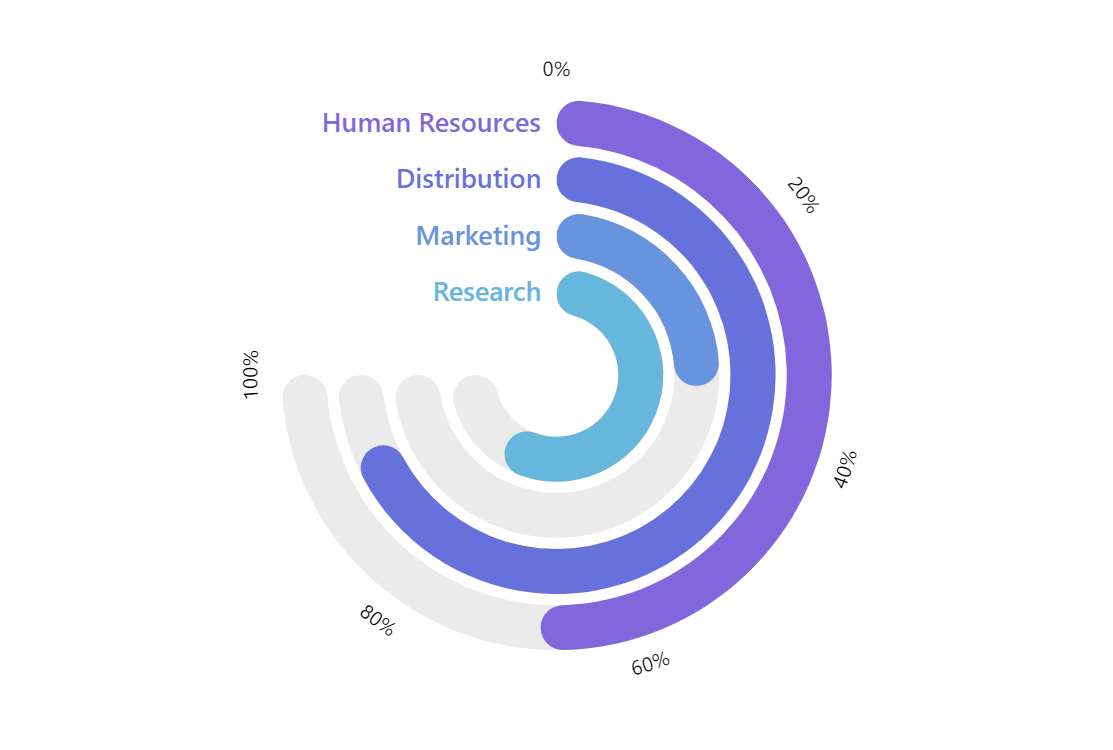
Solid Gauge Chart is similar to the Angular Gauge Chart and is most commonly used to mimic real-world gauges. The main difference from the Angular Gauge Chart is that the values are displayed by a filled portion of a gauge scale rather than a hand of a mechanical-like gauge.
Related tutorials
Build this chart with AI
The prompt below can be used to build this chart with AI. For best coding results, use the most advanced AI models, like Claude Opus 5 and GPT-5.6-Codex. For more info and tips, check out amCharts AI docs.
Create a solid gauge chart with a semicircular donut layout. Display four categories (Research, Marketing, Distribution, Human Resources) on a radial axis. Use two column series: a background series showing full 100% capacity as semi-transparent columns, and a foreground series displaying actual values (35-92%) as opaque colored columns overlaid on the backgrounds. Apply rounded corners to all columns. Format the circular axis from 0 to 100 with percentage labels. Add custom-colored category labels positioned at the outer edge. Include a cursor with zoom functionality and tooltips displaying the category and value as a percentage. Animate series appearance on load. Use amCharts 5 library.
Demo source