Time Zones and Daylight Saving
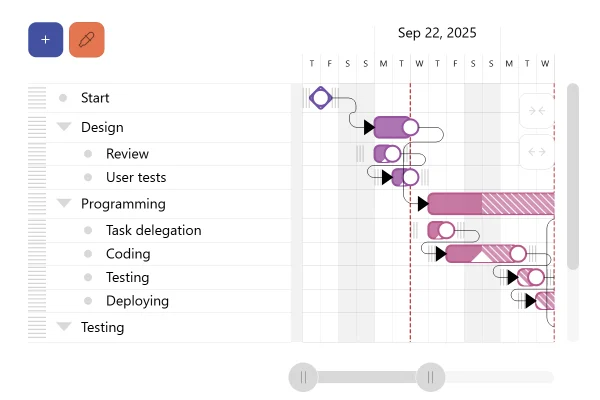
Two offices open 9 to 5 on their own clocks. The chart shows them in Berlin time, or any zone you pick: its days start at that zone's midnight, and where its clocks change, a day has 25 hours.
Dates belong to a time zone
A timestamp is a moment; which day and hour it falls on depends on where it is read. Set root.timezone and the chart reads every moment in that zone, whatever the viewer's own: the date axis puts its day lines at the zone's midnight, writes labels and tooltips in its time, and stretches a day to 25 hours, or shrinks it to 23, where the zone's clocks change. Between Europe's change on October 25 and America's on November 1, the two offices are five hours apart instead of six, and share three hours a day instead of two.
Good for
- Teams, markets and servers in several time zones
- Schedules that must read in one city's time
- Hourly data across a daylight saving change
Think twice when
- Data about each viewer's own day: leave the zone unset
- Plain UTC: root.utc is simpler and faster
Get the code.
Built with amCharts 5, a JavaScript library. The code includes your theme and renderer (canvas or SVG), but not the changes you make with the controls.
npm install @amcharts/amcharts5. See Getting started.
The same chart as a JSON config. Chart Maker reads and writes this format, the library's JSON parser turns it into a chart, and the <am5-chart> element puts it on a page with no code.How it reads:
"type" is the class to create and "settings" what you would pass to its new() in code; "properties" fill in its parts, lists such as series and axes or templates such as columns.template; "refs" holds objects used in more than one place ("#series-0" stands for the one named series-0); a string starting with "@" takes a value from another object, such as "@series.get('fill')".
A complete page. Save it as an .html file and open it in a browser.
Paste this into an AI coding assistant to build the chart from scratch. More in amCharts & AI.
// Create root element
// https://www.amcharts.com/docs/v5/getting-started/#Root_element
var root = am5.Root.new("chartdiv");

// Show every date and time in Berlin time, wherever the viewer is. Any IANA time zone name works ("America/New_York",
// "Asia/Kathmandu"...): the date axis then puts its day lines at that zone's midnight, writes its labels and tooltips
// in its time, and follows its daylight saving changes
// https://www.amcharts.com/docs/v5/getting-started/root-element/#time-zone
root.timezone = am5.Timezone.new("Europe/Berlin");

// Set themes
// https://www.amcharts.com/docs/v5/concepts/themes/
root.setThemes([
  am5themes_Animated.new(root),
  am5themes_Responsive.new(root)
]);

// The data: three weeks around the autumn clock changes of 2026, Europe's on Sunday, October 25 and America's on
// Sunday, November 1
var start = Date.UTC(2026, 9, 19); // Monday, October 19
var end = Date.UTC(2026, 10, 7);   // Saturday, November 7

// Two offices, each open 9:00 to 17:00 on its own clock, Monday to Friday
var offices = [
  { name: "Berlin office", timezone: "Europe/Berlin" },
  { name: "New York office", timezone: "America/New_York" }
];

// An office's working days as moments in time: the hours when its own clock reads 9:00 and 17:00. A Timezone object
// reads any moment's date and hour in its zone, so the hours follow the office's clock changes, not the viewer's
function workdays(office) {
  var zone = am5.Timezone.new(office.timezone);
  var days = [];
  var opened = null;
  // an hour at a time: note when the office opens, and the day when it closes
  for (var time = start; time < end; time += 3600000) {
    var clock = zone.parseDate(new Date(time)); // { year, month, day, hour, minute, weekday... } on its clock
    var open = clock.weekday >= 1 && clock.weekday <= 5 && clock.hour >= 9 && clock.hour < 17;
    if (open && opened === null) {
      opened = time;
    }
    if (!open && opened !== null) {
      days.push({ row: office.name, open: opened, close: time });
      opened = null;
    }
  }
  return days;
}

var berlin = workdays(offices[0]);
var newYork = workdays(offices[1]);

// The hours both offices are open: where a Berlin day and a New York day overlap
var both = [];
berlin.forEach(function(b) {
  newYork.forEach(function(n) {
    var open = Math.max(b.open, n.open), close = Math.min(b.close, n.close);
    if (open < close) {
      both.push({ row: "Both open", open: open, close: close });
    }
  });
});

// Create chart
// https://www.amcharts.com/docs/v5/charts/xy-chart/
var chart = root.container.children.push(am5xy.XYChart.new(root, {
  panX: true,       // drag the plot sideways to move along the dates
  panY: false,
  wheelX: "panX",   // a sideways wheel or swipe moves along the dates...
  wheelY: "zoomX",  // ...and the wheel zooms in on the hours
  paddingLeft: 0
}));

// The rows: one per office, and the hours they share
// https://www.amcharts.com/docs/v5/charts/xy-chart/axes/category-axis/
var yRenderer = am5xy.AxisRendererY.new(root, {
  inversed: true,      // the first row at the top
  minGridDistance: 20  // every row gets its label
});
yRenderer.grid.template.set("location", 1); // grid lines between the rows

var yAxis = chart.yAxes.push(am5xy.CategoryAxis.new(root, {
  categoryField: "row",
  renderer: yRenderer
}));
yAxis.data.setAll([{ row: "Berlin office" }, { row: "New York office" }, { row: "Both open" }]);

// The time: the date axis reads every moment in the chart's time zone
// https://www.amcharts.com/docs/v5/charts/xy-chart/axes/date-axis/
var xAxis = chart.xAxes.push(am5xy.DateAxis.new(root, {
  baseInterval: { timeUnit: "hour", count: 1 }, // the data changes on the hour
  renderer: am5xy.AxisRendererX.new(root, {
    minGridDistance: 70 // at least 70px between labels: hours when zoomed in, days when zoomed out
  }),
  tooltip: am5.Tooltip.new(root, {}),
  // the cursor's time, with the zone's offset from UTC, which changes with its clocks
  tooltipDateFormat: "EEE, MMM d, HH:mm (UTC ZZ)"
}));

// One series per row: a bar from opening to closing time
// https://www.amcharts.com/docs/v5/charts/xy-chart/series/column-series/
function addRow(name, data) {
  var series = chart.series.push(am5xy.ColumnSeries.new(root, {
    name: name,
    xAxis: xAxis,
    yAxis: yAxis,
    openValueXField: "open", // a bar starts at the opening time...
    valueXField: "close",    // ...and ends at the closing time
    categoryYField: "row",
    clustered: false,        // each bar fills its own row
    tooltip: am5.Tooltip.new(root, {
      // the hours in the chart's time zone
      labelText: "{categoryY}: {openValueX.formatDate('EEE HH:mm')} to {valueX.formatDate('HH:mm')}"
    })
  }));
  series.columns.template.setAll({
    height: am5.percent(56), // a bar a little over half the row high
    cornerRadiusTL: 4,
    cornerRadiusTR: 4,
    cornerRadiusBL: 4,
    cornerRadiusBR: 4,
    strokeOpacity: 0
  });
  series.data.setAll(data);
  return series;
}

addRow("Berlin office", berlin);
addRow("New York office", newYork);
addRow("Both open", both);

// Days that are not 24 hours long in the chart's time zone: 25 hours where its clocks go back, 23 where they go
// forward. getDateIntervalDuration gives a day's real length in a time zone; the band and its label mark that day
var dayMarks = [];
function markDayLengths() {
  // the old marks go: the chart's time zone may have changed
  dayMarks.forEach(function(mark) {
    xAxis.axisRanges.removeValue(mark);
  });
  dayMarks = [];
  var oneDay = { timeUnit: "day", count: 1 };
  // from the midnight before the first moment, one local day at a time
  var day = am5.time.round(new Date(start), "day", 1, 1, root.utc, undefined, root.timezone);
  while (day.getTime() < end) {
    var length = am5.time.getDateIntervalDuration(oneDay, day, 1, root.utc, root.timezone);
    if (length !== 86400000) {
      var mark = xAxis.makeDataItem({ value: day.getTime(), endValue: day.getTime() + length });
      xAxis.createAxisRange(mark);
      mark.get("axisFill").setAll({
        visible: true,
        fill: root.interfaceColors.get("alternativeBackground"),
        fillOpacity: 0.06 // a faint band over the whole day
      });
      // the day's length, low in the plot: the clocks change on a Sunday, when both offices are closed
      mark.get("label").setAll({
        text: "[bold]" + Math.round(length / 3600000) + " hours[/]\n" + (length > 86400000 ? "clocks go back" : "clocks go forward"),
        inside: true,      // over the plot, not among the axis labels...
        location: 0.5,     // ...in the middle of the day...
        centerY: am5.p100, // ...standing on the axis line
        dy: -6,
        textAlign: "center",
        fontSize: "0.8em",
        fillOpacity: 0.7
      });
      dayMarks.push(mark);
    }
    day = new Date(day.getTime() + length);
  }
}
markDayLengths();

// Add cursor
// https://www.amcharts.com/docs/v5/charts/xy-chart/cursor/
chart.set("cursor", am5xy.XYCursor.new(root, {
  behavior: "zoomX", // drag across the plot to zoom in on those hours
  xAxis: xAxis
})).lineY.set("visible", false);

// Add scrollbar
// https://www.amcharts.com/docs/v5/charts/xy-chart/scrollbars/
chart.set("scrollbarX", am5.Scrollbar.new(root, {
  orientation: "horizontal" // above the plot: drag it along the three weeks
}));

// No zoom-out button over the first row's bars: the scrollbar and the wheel zoom out
chart.zoomOutButton.set("forceHidden", true);

// Make stuff animate on load, then zoom in on the days around Europe's clock change, Friday to Tuesday. The bars lie
// along the date axis, so the axis fits itself to them while the chart appears: the zoom comes after
// https://www.amcharts.com/docs/v5/concepts/animations/
chart.appear(1000, 100).then(function() {
  xAxis.zoomToDates(new Date(Date.UTC(2026, 9, 22, 22)), new Date(Date.UTC(2026, 9, 27, 23)));
});