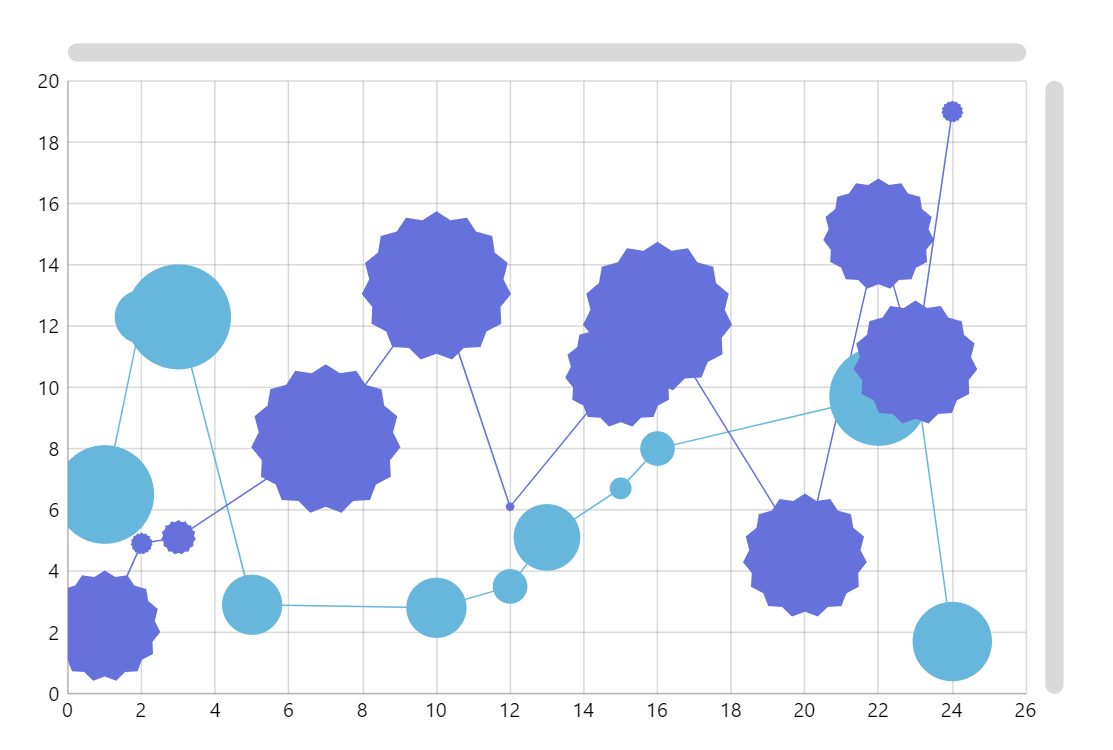
In the most common version of a line chart you have an X-axis representing some categories or date/time and an Y-axis representing values for those categories. In amCharts XY charts you can have any type of axis in each dimension. In this demo we use two value axes and the lines just have two numeric coordinates.
Key implementation details
We add 2 ValueAxis axes to our chart, add LineSeries and specify valueXField and valueYField on the series for the line coordinates.
Related tutorials
Build this chart with AI
The prompt below can be used to build this chart with AI. For best coding results, use the most advanced AI models, like Claude Opus 5 and GPT-5.6-Codex. For more info and tips, check out amCharts AI docs.
Create an XY chart with two connected line series using numeric value axes on both X and Y. One series uses circle markers and the other uses star-shaped markers, both with variable sizes based on a value field. Use 14 data records; some points may have data for only one series. Enable mouse wheel Y-axis zoom and pinch zoom. Add a crosshair cursor for inspection with tooltips showing x, y, and value. Include scrollbars for horizontal and vertical navigation. Animate on load. Use amCharts 5 library.
Demo source