Waterfall Chart
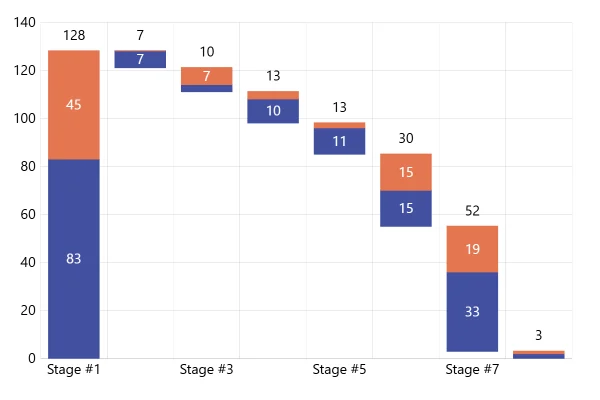
A waterfall chart walks from one total to another a step at a time: here, from net revenue to operating income. Decreases hang down in red, increases climb in green, and dashed lines carry each level on.
About this chart
When a waterfall works
A waterfall explains how one figure became another: revenue into profit, last year’s budget into this year’s. Each step floats where the one before it ended, so readers see its size and the running total at once. Keep it to a dozen steps or so, with the totals at the ends.
Good for
- Revenue to profit, step by step
- Budget or headcount changes over a year
- Explaining a difference in a report
Think twice when
- Many small steps: group them, or the bricks get too thin
- Parts that don’t add up to the total: the chart relies on the sum
- A trend over time: a line chart shows it better
For developers
Get the code.
Built with amCharts 5, a JavaScript library. The JavaScript includes your theme and renderer (canvas or SVG); the JSON also follows the changes you make with the controls.
For projects that use npm:
How it reads:
npm install @amcharts/amcharts5. See Getting started.
The same chart as a JSON config. Chart Maker reads and writes this format, the library's JSON parser turns it into a chart, and the <am5-chart> element puts it on a page with no code.How it reads:
"type" is the class to create and "settings" what you would pass to its new() in code; "properties" fill in its parts, lists such as series and axes or templates such as columns.template; "refs" holds objects used in more than one place ("#series-0" stands for the one named series-0); a string starting with "@" takes a value from another object, such as "@series.get('fill')".
A complete page. Save it as an .html file and open it in a browser.
Paste this into an AI coding assistant to build the chart from scratch. More in amCharts & AI.
// Create root element
// https://docs.amcharts.com/v5/getting-started/#root-element
var root = am5.Root.new("chartdiv");

// Set themes
// https://docs.amcharts.com/v5/concepts/themes/
root.setThemes([
  am5themes_Animated.new(root),
  am5themes_Responsive.new(root)
]);

// Create chart
// https://docs.amcharts.com/v5/charts/xy-chart/
var chart = root.container.children.push(am5xy.XYChart.new(root, {
  panX: false, // no panning
  panY: false,
  paddingLeft: 0, // the value labels sit at the chart's left edge
  layout: root.verticalLayout
}));

// Create axes
// https://docs.amcharts.com/v5/charts/xy-chart/axes/
var xRenderer = am5xy.AxisRendererX.new(root, {
  minGridDistance: 30, // columns can be 30px apart before names are skipped
  minorGridEnabled: true
 });

var xAxis = chart.xAxes.push(am5xy.CategoryAxis.new(root, {
  maxDeviation: 0, // no panning past the first or last column
  categoryField: "category",
  renderer: xRenderer,
  tooltip: am5.Tooltip.new(root, {}) // shows the cursor's category on the axis
}));

xRenderer.grid.template.setAll({
  location: 1 // grid lines between the columns, not through the middle of each
})

// Long names wrap onto two lines when they don't fit their column's width
xRenderer.labels.template.setAll({
  oversizedBehavior: "wrap",
  textAlign: "center" // each line centered
});

// the width of a column's cell changes with the chart's size, and the wrap width follows it
xAxis.onPrivate("cellWidth", function(cellWidth) {
  xRenderer.labels.template.set("maxWidth", cellWidth);
});

// Some room at the top for the label above the tallest column
var yAxis = chart.yAxes.push(am5xy.ValueAxis.new(root, {
  maxDeviation: 0, // no panning past the data
  min: 0,          // start at zero
  extraMax: 0.1,
  renderer: am5xy.AxisRendererY.new(root, { strokeOpacity: 0.1 }), // a faint axis line
  tooltip: am5.Tooltip.new(root, {}) // shows the cursor's value on the axis
}));

// Add cursor
// https://docs.amcharts.com/v5/charts/xy-chart/cursor/
var cursor = chart.set("cursor", am5xy.XYCursor.new(root, {
  xAxis: xAxis,
  yAxis: yAxis
}));

// Create series
// https://docs.amcharts.com/v5/charts/xy-chart/series/

// Three column series share the data: the totals, the increases and the decreases. Each draws the rows
// that have its value field, in its own color. The steps float from their open value, where the step
// before them ended.
function makeSeries(name, field, openField, color) {
  var series = chart.series.push(am5xy.ColumnSeries.new(root, {
    name: name,
    xAxis: xAxis,
    yAxis: yAxis,
    valueYField: field,
    openValueYField: openField, // where the step starts: the end of the one before
    categoryXField: "category",
    // the three series share each category's full width instead of sitting side by side
    clustered: false,
    fill: color // each series in its own color
  }));

  series.columns.template.setAll({
    strokeOpacity: 0 // no outline
  });

  // The amount at the end of each column: above a total or an increase, below a decrease
  series.bullets.push(function() {
    return am5.Bullet.new(root, {
      locationY: 1, // at the column's end value
      sprite: am5.Label.new(root, {
        text: "${displayValue} K",
        centerX: am5.p50, // centered on the column
        // a decrease's label hangs below its end, the others sit above
        centerY: field == "decrease" ? 0 : am5.p100,
        populateText: true // fills in {displayValue} from the data
      })
    });
  });

  series.data.setAll(data);
  series.appear(1000);
  return series;
}

// Set data
var data = [{
  category: "Net revenue",
  total: 8786,
  lineValue: 8786,
  displayValue: 8786
}, {
  category: "Cost of sales",
  open: 8786,
  decrease: 8786 - 2786,
  lineValue: 8786 - 2786,
  displayValue: 2786
}, {
  category: "Operating expenses",
  open: 8786 - 2786,
  decrease: 8786 - 2786 - 1786,
  lineValue: 8786 - 2786 - 1786,
  displayValue: 1786
}, {
  category: "Amortization",
  open: 8786 - 2786 - 1786,
  decrease: 8786 - 2786 - 1786 - 453,
  lineValue: 8786 - 2786 - 1786 - 453,
  displayValue: 453
}, {
  category: "Income from equity",
  open: 8786 - 2786 - 1786 - 453,
  increase: 8786 - 2786 - 1786 - 453 + 1465,
  lineValue: 8786 - 2786 - 1786 - 453 + 1465,
  displayValue: 1465
}, {
  category: "Operating income",
  total: 8786 - 2786 - 1786 - 453 + 1465,
  displayValue: 8786 - 2786 - 1786 - 453 + 1465
}];

xAxis.data.setAll(data);

// totals stand on zero, in the theme's button color; the steps in its positive and negative colors
var totalSeries = makeSeries("Total", "total", undefined, root.interfaceColors.get("primaryButton"));
var increaseSeries = makeSeries("Increase", "increase", "open", root.interfaceColors.get("positive"));
var decreaseSeries = makeSeries("Decrease", "decrease", "open", root.interfaceColors.get("negative"));

// Dashed lines join each column to the next
var lineSeries = chart.series.push(am5xy.StepLineSeries.new(root, {
  xAxis: xAxis,
  yAxis: yAxis,
  valueYField: "lineValue",
  categoryXField: "category",
  // flat lines only, without the vertical risers between the steps
  noRisers: true,
  locationX: 0.65, // each flat line starts inside its column and reaches into the next
  // the theme's contrast color: dark on light, light on dark
  stroke: root.interfaceColors.get("alternativeBackground")
}));

lineSeries.strokes.template.setAll({
  strokeDasharray: [3, 3] // 3px dashes with 3px gaps
});

lineSeries.data.setAll(data);

// Make stuff animate on load
// https://docs.amcharts.com/v5/concepts/animations/
chart.appear(1000, 100);
{
"type": "XYChart",
"settings": {
"panX": false,
"panY": false,
"paddingLeft": 0,
"layout": {
"type": "VerticalLayout"
},
"cursor": {
"type": "XYCursor",
"settings": {
"xAxis": "#axis-0",
"yAxis": "#axis-1"
}
}
},
"properties": {
"series": [
"#series-0",
"#series-1",
"#series-2",
"#series-3"
],
"xAxes": [
"#axis-0"
],
"yAxes": [
"#axis-1"
]
},
"refs": [
{
"data-0": [
{
"category": "Net revenue",
"total": 8786,
"lineValue": 8786,
"displayValue": 8786
},
{
"category": "Cost of sales",
"open": 8786,
"decrease": 6000,
"lineValue": 6000,
"displayValue": 2786
},
{
"category": "Operating expenses",
"open": 6000,
"decrease": 4214,
"lineValue": 4214,
"displayValue": 1786
},
{
"category": "Amortization",
"open": 4214,
"decrease": 3761,
"lineValue": 3761,
"displayValue": 453
},
{
"category": "Income from equity",
"open": 3761,
"increase": 5226,
"lineValue": 5226,
"displayValue": 1465
},
{
"category": "Operating income",
"total": 5226,
"displayValue": 5226
}
]
},
{
"axis-0": {
"type": "CategoryAxis",
"settings": {
"maxDeviation": 0,
"categoryField": "category",
"renderer": {
"type": "AxisRendererX",
"settings": {
"minGridDistance": 30,
"minorGridEnabled": true
},
"properties": {
"labels": {
"properties": {
"template": {
"settings": {
"oversizedBehavior": "wrap",
"textAlign": "center",
"maxWidth": 149.56770833333331
}
}
}
},
"grid": {
"properties": {
"template": {
"settings": {
"location": 1
}
}
}
}
}
},
"tooltip": {
"type": "Tooltip"
}
},
"properties": {
"data": "#data-0"
}
}
},
{
"axis-1": {
"type": "ValueAxis",
"settings": {
"maxDeviation": 0,
"min": 0,
"extraMax": 0.1,
"renderer": {
"type": "AxisRendererY",
"settings": {
"strokeOpacity": 0.1
}
},
"tooltip": {
"type": "Tooltip"
}
}
}
},
{
"series-0": {
"type": "ColumnSeries",
"settings": {
"name": "Total",
"xAxis": "#axis-0",
"yAxis": "#axis-1",
"valueYField": "total",
"categoryXField": "category",
"clustered": false,
"fill": "@root.interfaceColors.get('primaryButton')"
},
"properties": {
"data": "#data-0",
"columns": {
"properties": {
"template": {
"settings": {
"strokeOpacity": 0
}
}
}
},
"bullets": [
{
"type": "Bullet",
"settings": {
"locationY": 1,
"sprite": {
"type": "Label",
"settings": {
"text": "${displayValue} K",
"centerX": {
"type": "Percent",
"value": 50
},
"centerY": {
"type": "Percent",
"value": 100
},
"populateText": true
}
}
}
}
]
}
}
},
{
"series-1": {
"type": "ColumnSeries",
"settings": {
"name": "Increase",
"xAxis": "#axis-0",
"yAxis": "#axis-1",
"valueYField": "increase",
"openValueYField": "open",
"categoryXField": "category",
"clustered": false,
"fill": "@root.interfaceColors.get('positive')"
},
"properties": {
"data": "#data-0",
"columns": {
"properties": {
"template": {
"settings": {
"strokeOpacity": 0
}
}
}
},
"bullets": [
{
"type": "Bullet",
"settings": {
"locationY": 1,
"sprite": {
"type": "Label",
"settings": {
"text": "${displayValue} K",
"centerX": {
"type": "Percent",
"value": 50
},
"centerY": {
"type": "Percent",
"value": 100
},
"populateText": true
}
}
}
}
]
}
}
},
{
"series-2": {
"type": "ColumnSeries",
"settings": {
"name": "Decrease",
"xAxis": "#axis-0",
"yAxis": "#axis-1",
"valueYField": "decrease",
"openValueYField": "open",
"categoryXField": "category",
"clustered": false,
"fill": "@root.interfaceColors.get('negative')"
},
"properties": {
"data": "#data-0",
"columns": {
"properties": {
"template": {
"settings": {
"strokeOpacity": 0
}
}
}
},
"bullets": [
{
"type": "Bullet",
"settings": {
"locationY": 1,
"sprite": {
"type": "Label",
"settings": {
"text": "${displayValue} K",
"centerX": {
"type": "Percent",
"value": 50
},
"centerY": 0,
"populateText": true
}
}
}
}
]
}
}
},
{
"series-3": {
"type": "StepLineSeries",
"settings": {
"xAxis": "#axis-0",
"yAxis": "#axis-1",
"valueYField": "lineValue",
"categoryXField": "category",
"noRisers": true,
"locationX": 0.65,
"stroke": "@root.interfaceColors.get('alternativeBackground')"
},
"properties": {
"data": "#data-0",
"strokes": {
"properties": {
"template": {
"settings": {
"strokeDasharray": [
3,
3
]
}
}
}
}
}
}
}
]
}