Bullet Chart
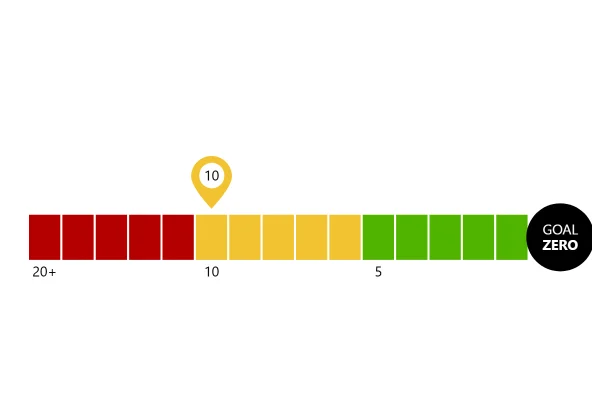
A bullet chart says what a gauge says in a strip: the bar is the actual value, the short line is the target, and the colors behind say how good each level is. Two styles: a smooth gradient and five bands.
About this chart
When a bullet chart works
Bullet charts do what dashboard gauges do in a fraction of the space: one value, its target and the ranges that say good or bad, all read along one scale. Several of them stack neatly, one measure per row, where gauges would need a grid of circles.
Good for
- KPIs against a target on a dashboard
- Scores and ratings with set ranges
- Many measures in a small space, one row each
Think twice when
- A value with no target or ranges: a plain bar is enough
- Change over time: a line with a target line keeps the history
- Readers who don’t know what the colors mean: label the ranges
For developers
Get the code.
Built with amCharts 5, a JavaScript library. The JavaScript includes your theme and renderer (canvas or SVG); the JSON also follows the changes you make with the controls.
For projects that use npm:
How it reads:
npm install @amcharts/amcharts5. See Getting started.
The same chart as a JSON config. Chart Maker reads and writes this format, the library's JSON parser turns it into a chart, and the <am5-chart> element puts it on a page with no code.How it reads:
"type" is the class to create and "settings" what you would pass to its new() in code; "properties" fill in its parts, lists such as series and axes or templates such as columns.template; "refs" holds objects used in more than one place ("#series-0" stands for the one named series-0); a string starting with "@" takes a value from another object, such as "@series.get('fill')".
A complete page. Save it as an .html file and open it in a browser.
Paste this into an AI coding assistant to build the chart from scratch. More in amCharts & AI.
// Create root element
// https://docs.amcharts.com/v5/getting-started/#root-element
var root = am5.Root.new("chartdiv");

// Set themes
// https://docs.amcharts.com/v5/concepts/themes/
root.setThemes([
  am5themes_Animated.new(root),
  am5themes_Responsive.new(root)
]);

// Two bullet charts in one root, one above the other
root.container.set("layout", root.verticalLayout);

// The qualitative ranges, from poor to good: the higher, the better. Five colors on the theme's scale from its color
// for negative values (red) through its warning color (yellow) to its positive one (green), so they follow the theme
// and dark mode
var colors = [0, 0.25, 0.5, 0.75, 1].map(function(position) {
  return am5.Color.interpolateColors(position, [
    root.interfaceColors.get("negative"),
    root.interfaceColors.get("warning"),
    root.interfaceColors.get("positive")
  ]);
});

// one bullet chart: a gradient behind the bar when gradient is true, solid bands if not
function createBulletChart(gradient) {
  // Create chart
  // https://docs.amcharts.com/v5/charts/xy-chart/
  var chart = root.container.children.push(
    am5xy.XYChart.new(root, {
      panX: false,    // the chart doesn't pan or zoom
      panY: false,
      wheelX: "none", // the mouse wheel scrolls the page
      wheelY: "none",
      // keep each tooltip at its own point instead of spreading them apart
      arrangeTooltips: false,
      // room for the "100%" label at the end of the scale
      paddingRight: 25
    })
  );

  // Create axes
  // https://docs.amcharts.com/v5/charts/xy-chart/axes/
  var yAxis = chart.yAxes.push(
    am5xy.CategoryAxis.new(root, {
      categoryField: "category",
      renderer: am5xy.AxisRendererY.new(root, {})
    })
  );

  yAxis.data.setAll([{ category: "Evaluation" }]); // a single row

  var xRenderer = am5xy.AxisRendererX.new(root, {});
  xRenderer.grid.template.set("forceHidden", true); // no vertical grid lines

  var xAxis = chart.xAxes.push(
    am5xy.ValueAxis.new(root, {
      renderer: xRenderer,
      min: 0,              // the scale runs from 0...
      max: 100,            // ...to 100
      numberFormat: "#'%'" // whole numbers with a % sign
    })
  );

  // Color the ranges behind the bar with axis ranges
  // https://docs.amcharts.com/v5/charts/xy-chart/axes/axis-ranges/
  if (gradient) {
    // one range across the whole scale, with a gradient from orange to green
    var rangeDataItem = xAxis.makeDataItem({ value: 0, endValue: 100 });
    xAxis.createAxisRange(rangeDataItem);

    var stops = [];
    for (var i = 0; i < colors.length; i++) {
      stops.push({ color: colors[i] }); // one gradient stop per color, spread evenly
    }

    rangeDataItem.get("axisFill").setAll({
      visible: true,  // axis fills are hidden by default
      fillOpacity: 1, // solid
      fillGradient: am5.LinearGradient.new(root, {
        rotation: 0, // the gradient runs left to right
        stops: stops
      })
    });
  } else {
    // five ranges, one solid color each
    var count = colors.length;
    for (var i = 0; i < count; i++) {
      var rangeDataItem = xAxis.makeDataItem({
        value: (i / count) * 100, // each band takes a fifth of the scale
        endValue: ((i + 1) / count) * 100
      });
      xAxis.createAxisRange(rangeDataItem);

      rangeDataItem.get("axisFill").setAll({
        visible: true,     // axis fills are hidden by default
        fill: colors[i],
        stroke: colors[i], // an outline in the same color, so no gaps show between bands
        fillOpacity: 1     // solid
      });
    }
  }

  // The actual value: a bar
  // https://docs.amcharts.com/v5/charts/xy-chart/series/column-series/
  var series = chart.series.push(
    am5xy.ColumnSeries.new(root, {
      xAxis: xAxis,
      yAxis: yAxis,
      valueXField: "value",
      categoryYField: "category",
      // a bar in the theme's text color: black, or light in dark mode
      fill: root.interfaceColors.get("alternativeBackground"),
      stroke: root.interfaceColors.get("alternativeBackground"),
      tooltip: am5.Tooltip.new(root, {
        pointerOrientation: "left",    // the tooltip sits to the right, pointing left
        labelText: "Actual: {valueX}%" // the actual value
      })
    })
  );

  series.columns.template.setAll({
    height: am5.p50 // half the row tall
  });

  series.data.setAll([{ category: "Evaluation", value: 65 }]);

  // The target: a short vertical line, drawn by a step line series with no risers
  // https://docs.amcharts.com/v5/charts/xy-chart/series/step-line-series/
  var stepSeries = chart.series.push(
    am5xy.StepLineSeries.new(root, {
      xAxis: xAxis,
      yAxis: yAxis,
      valueXField: "value",
      categoryYField: "category",
      // a line in the theme's text color, as the bar
      stroke: root.interfaceColors.get("alternativeBackground"),
      fill: root.interfaceColors.get("alternativeBackground"),
      noRisers: true,
      // half the row tall, the same as the bar
      stepWidth: am5.p50,
      tooltip: am5.Tooltip.new(root, {
        pointerOrientation: "left",    // the tooltip sits to the right, pointing left
        labelText: "Target: {valueX}%" // the target value
      })
    })
  );

  stepSeries.strokes.template.set("strokeWidth", 3); // a 3px target line
  stepSeries.data.setAll([{ category: "Evaluation", value: 83 }]);

  // Add cursor, with its lines hidden: it only shows the tooltips
  // https://docs.amcharts.com/v5/charts/xy-chart/cursor/
  var cursor = chart.set("cursor", am5xy.XYCursor.new(root, {
    behavior: "none" // dragging doesn't select or zoom
  }));
  cursor.lineY.set("visible", false);
  cursor.lineX.set("visible", false);

  // Make stuff animate on load
  // https://docs.amcharts.com/v5/concepts/animations/
  chart.appear(1000, 100);
  series.appear();
  stepSeries.appear();
}

createBulletChart(true);  // the top chart, with a gradient...
createBulletChart(false); // ...and the bottom one, with solid bands
{
"type": "XYChart",
"settings": {
"panX": false,
"panY": false,
"wheelX": "none",
"wheelY": "none",
"arrangeTooltips": false,
"paddingRight": 25,
"cursor": {
"type": "XYCursor",
"settings": {
"behavior": "none"
},
"properties": {
"lineX": {
"settings": {
"visible": false
}
},
"lineY": {
"settings": {
"visible": false
}
}
}
}
},
"properties": {
"series": [
"#series-0",
"#series-1"
],
"xAxes": [
"#axis-0"
],
"yAxes": [
"#axis-1"
]
},
"refs": [
{
"data-0": [
{
"category": "Evaluation",
"value": 65
}
]
},
{
"data-1": [
{
"category": "Evaluation",
"value": 83
}
]
},
{
"data-2": [
{
"category": "Evaluation"
}
]
},
{
"axis-0": {
"type": "ValueAxis",
"settings": {
"renderer": {
"type": "AxisRendererX",
"properties": {
"grid": {
"properties": {
"template": {
"settings": {
"forceHidden": true
}
}
}
}
}
},
"min": 0,
"max": 100,
"numberFormat": "##'%'"
}
}
},
{
"axis-1": {
"type": "CategoryAxis",
"settings": {
"categoryField": "category",
"renderer": {
"type": "AxisRendererY"
}
},
"properties": {
"data": "#data-2"
}
}
},
{
"series-0": {
"type": "ColumnSeries",
"settings": {
"xAxis": "#axis-0",
"yAxis": "#axis-1",
"valueXField": "value",
"categoryYField": "category",
"fill": "@root.interfaceColors.get('alternativeBackground')",
"stroke": "@root.interfaceColors.get('alternativeBackground')",
"tooltip": {
"type": "Tooltip",
"settings": {
"pointerOrientation": "left",
"labelText": "Actual: {valueX}%"
}
}
},
"properties": {
"data": "#data-0",
"columns": {
"properties": {
"template": {
"settings": {
"height": {
"type": "Percent",
"value": 50
}
}
}
}
}
}
}
},
{
"series-1": {
"type": "StepLineSeries",
"settings": {
"xAxis": "#axis-0",
"yAxis": "#axis-1",
"valueXField": "value",
"categoryYField": "category",
"stroke": "@root.interfaceColors.get('alternativeBackground')",
"fill": "@root.interfaceColors.get('alternativeBackground')",
"noRisers": true,
"stepWidth": {
"type": "Percent",
"value": 50
},
"tooltip": {
"type": "Tooltip",
"settings": {
"pointerOrientation": "left",
"labelText": "Target: {valueX}%"
}
}
},
"properties": {
"data": "#data-1",
"strokes": {
"properties": {
"template": {
"settings": {
"strokeWidth": 3
}
}
}
}
}
}
},
{
"axisRange-0": {
"axis": "#axis-0",
"settings": {
"value": 0,
"endValue": 100,
"axisFill": {
"type": "Graphics",
"settings": {
"visible": true,
"fillOpacity": 1,
"fillGradient": {
"type": "LinearGradient",
"settings": {
"rotation": 0,
"stops": [
{
"color": {
"type": "Color",
"value": "#b30000"
},
"opacity": 1,
"opacityInherited": true
},
{
"color": {
"type": "Color",
"value": "#d26118"
},
"opacity": 1,
"opacityInherited": true
},
{
"color": {
"type": "Color",
"value": "#f2c230"
},
"opacity": 1,
"opacityInherited": true
},
{
"color": {
"type": "Color",
"value": "#a1ba18"
},
"opacity": 1,
"opacityInherited": true
},
{
"color": {
"type": "Color",
"value": "#50b300"
},
"opacity": 1,
"opacityInherited": true
}
]
}
}
}
}
},
"__parseLogic": "axisRange"
}
}
]
}