Download Purchased Software
To download your software simply follow these three easy steps:
1. Login or register in our Support Center.
If you you are not yet logged in, you will have three options:
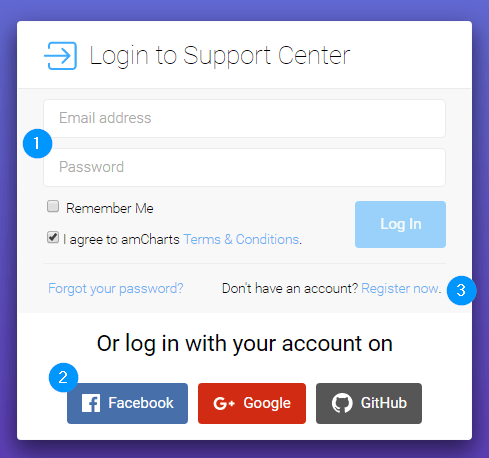
Choose one of the options:
1 – Login if you have registered with us before;
2 – Login using your social account;
3 – Click “Register now” to register a new amCharts account.
2. Check if your order is under your account.
To do so, click the “My Orders” link on the left-hand support menu. If your order is listed on the page that opens, your all set.
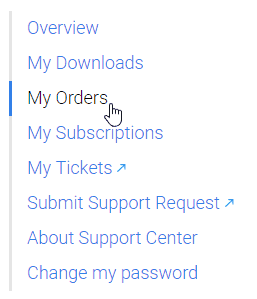
If the order is not there it means it was placed under different email address than your amCharts account.
To attach the order to your amCharts account enter the email address you used when ordering and order reference id:

You will only need to do this step once. Now that your account is associated with the order we will be able to provide related downloads.
3. Download your software!
Click “My Downloads” to access your downloads.
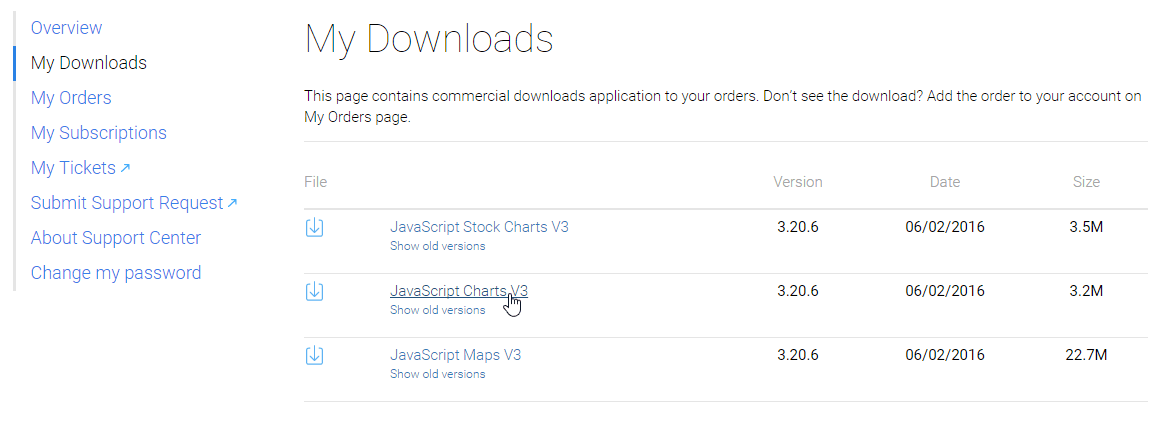
That’s it!