amCharts 5.21: accessibility improvements
amCharts 5.21 is easier to use without a mouse, with a screen reader, and in Windows High Contrast. Most of it needs no changes to your code.
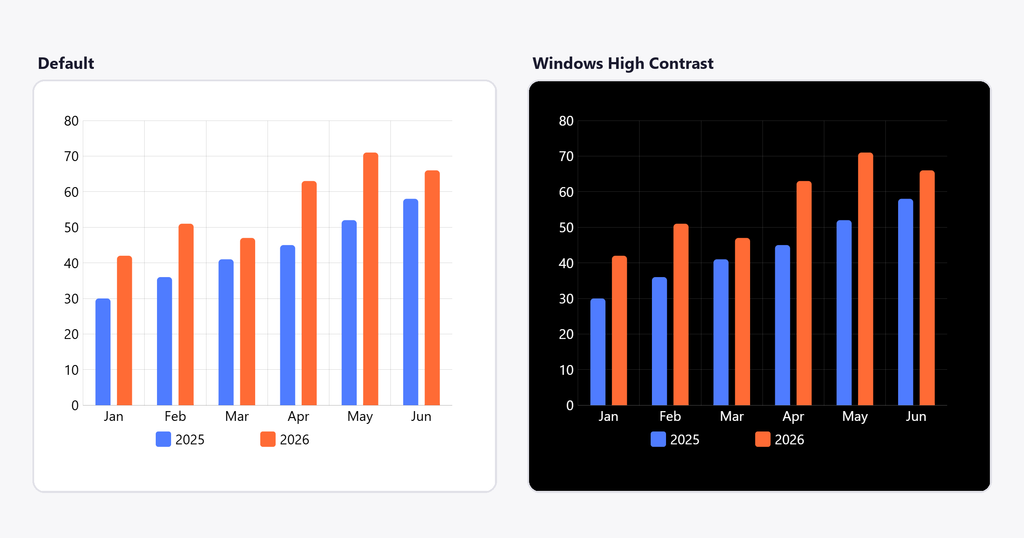
Windows High Contrast
Charts now follow forced colors mode. Labels, grid, axes and buttons take the system colors, so they stay visible. Series keep their own colors.
It’s on by default. To keep the chart’s own colors:
const root = am5.Root.new("chartdiv", {
  forcedColors: false
});Keyboard
| Key | What it does |
|---|---|
| TAB, SHIFT + TAB | Moves to the next or previous element or group |
| Arrow keys | Move between members of a group, or drag a draggable element |
| SHIFT + arrow keys | Drag a draggable element that is in a group |
| ENTER | Clicks the focused element |
| SPACE | Clicks the focused element, if it acts as a button |
| ESC | Hides the tooltip and ends a keyboard drag; focus stays where it is |
What changed:
- A
focusableGroupis always one TAB stop, and it returns to the member focused last. - Arrow keys move between group members even when they can be dragged, such as flow and hierarchy nodes. SHIFT + arrow keys drag them.
- ESC no longer moves focus out of the chart.
- The
StockToolbarworks with the keyboard by default. - Map objects panned or zoomed out of view are no longer TAB stops, and screen readers can still read them.
Pack,ForceDirectedandTreenodes, pie slices and map polygons can now be focused.
Screen readers
- Icon buttons have names: zoom controls,
Gantttoolbar and task buttons,StockChartpanel and legend buttons,ColorPicker. - Toggles tell their state, with
aria-pressed. A newariaExpandedsetting givesaria-expanded, and it’s already set onGantttasks with subtasks and hierarchy nodes with children. - A tooltip shown on focus (
hoverOnFocus) is read out, unless it repeats the element’s name. - Map zoom level is announced once zooming settles.
- Scrollbar grips on a
CategoryAxissay which category they’re on. ExportingMenuitems are exposed as menu items, and closing the menu returns focus to its icon.Modal, also used byStockChartsettings, is a proper dialog: named, focus moves into it, TAB stays inside, and closing it gives focus back.
Exported SVG files are accessible too: screen readers read one as a single image, titled by the chart’s ariaLabel.
Making your data accessible
Buttons, legends and scrollbars are ready to go. Series elements need your text, because only you know what the data means:
series.columns.template.setAll({
  focusable: true,
  hoverOnFocus: true,
  focusableGroup: "Sales",
  ariaLabel: "{categoryX}: {valueY}"
});Our conformance report for amCharts 5 is on the accessibility page.
Get amCharts 5.21
- npm:
npm install @amcharts/amcharts5 - CDN:
https://cdn.amcharts.com/lib/5/index.js
All options: amcharts.com/download
Everything else in 5.21: changelog