amCharts 5.21: charts from JSON, no chart code
An amCharts 5 chart can now be an HTML tag and a JSON config. No root, no setup code, no build step. The config can carry the animations too, and saving a chart to JSON and loading it back covers far more than before.
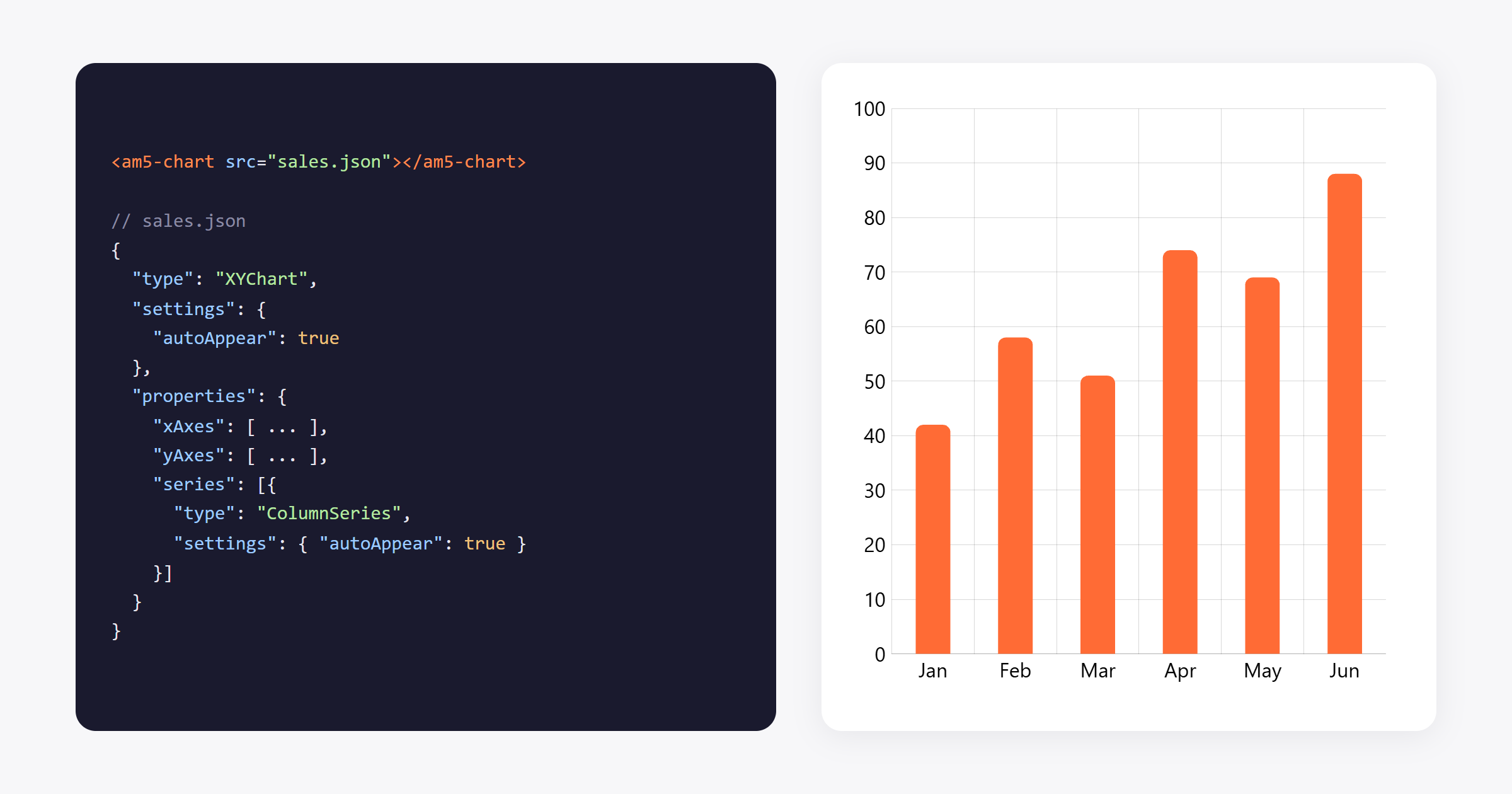
The <am5-chart> element
Load the library, the JSON plugin and the element, then point the tag at a config:
<script src="https://cdn.amcharts.com/lib/5/index.js"></script>
<script src="https://cdn.amcharts.com/lib/5/plugins/json.js"></script>
<script src="https://cdn.amcharts.com/lib/5/element.js"></script>
<script src="https://cdn.amcharts.com/lib/5/xy.js"></script>

<am5-chart src="chart.json" themes="Animated" style="height: 400px"></am5-chart>
The config can also go inline, in the config attribute, or be set from code as an object. Change it and the chart is built again; remove the element and the chart is disposed. renderer="svg" draws it as SVG.
To reach the chart once it’s built:
element.whenReady().then(function(ev) {
  // ev.root, ev.chart
});
With npm, import "@amcharts/amcharts5/element". The chart types a config uses then load on their own.
Animations in the config
Until now, the opening animation needed code: series.appear(). Now it’s a setting, so it fits in a config:
"settings": {
  "autoAppear": true,
  "appearDuration": 1000
}
Looping animations can go in the config too, with the animations setting. A globe that turns forever:
"animations": [
  { "key": "rotationX", "from": 0, "to": 360, "duration": 120000, "loops": 0 }
]
Each entry animates a setting, or a data item’s value, such as a point moving along its line. Easing is set by name.
Save a chart, load it back
ChartSerializer turns a chart into a JSON config, and JsonParser builds it again. Both cover much more now:
- Only what you set is saved, not the defaults, so configs are smaller.
- Objects that point at each other are saved as references, not copies.
- Colors taken from the theme are saved as references to it, so a chart loaded with another theme uses that theme’s colors.
- Gantt charts, root settings, fonts, locales and running animations are saved.
- Map geodata and locales are saved by name, not as megabytes of data.
61 examples as JSON
The examples in the download were rewritten, and 61 of them also come as a JSON config. They’re a good starting point for your own.
In your framework
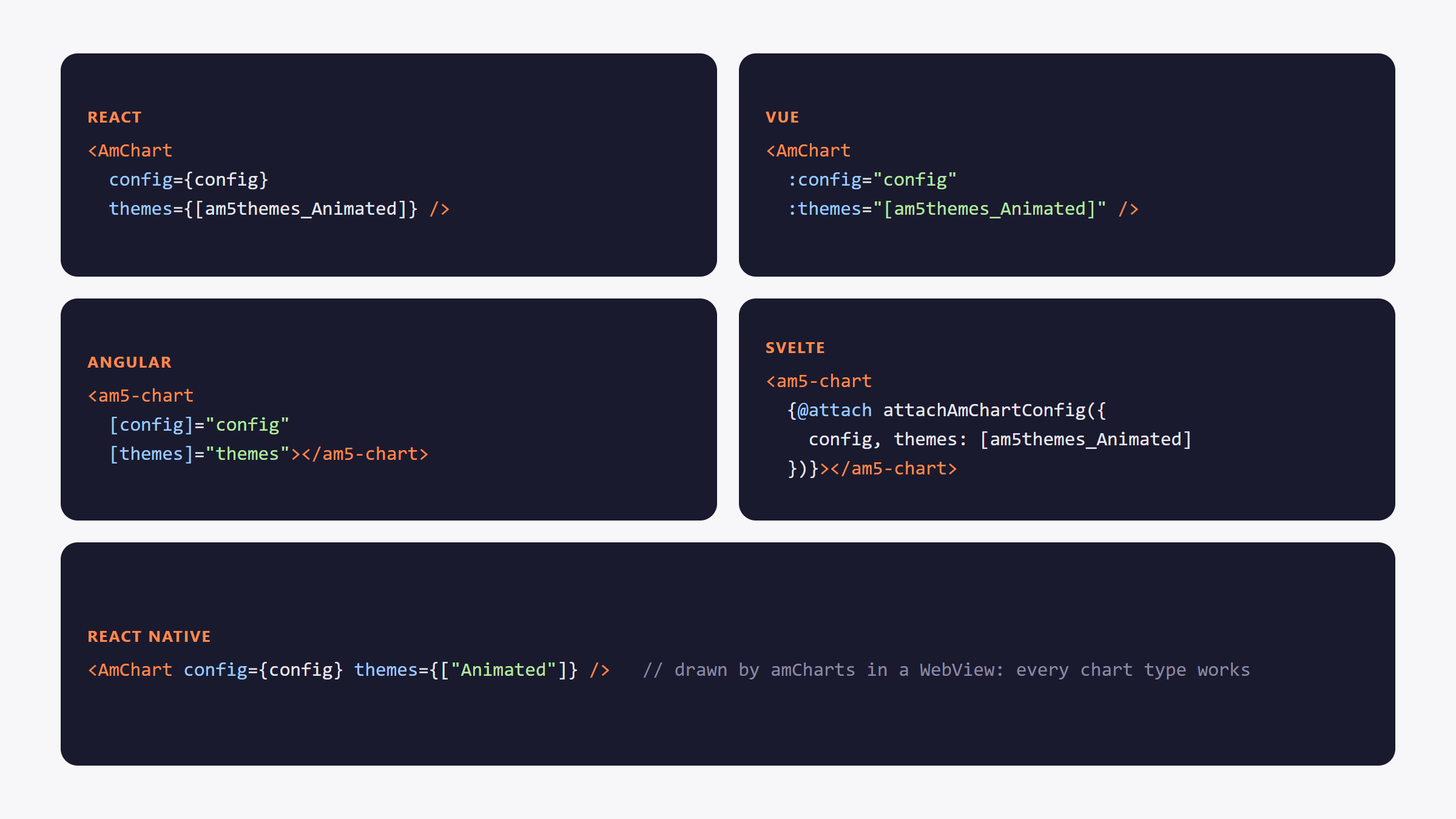
The new framework packages for React, Vue, Angular, Svelte and React Native take a JSON config the same way.
Get amCharts 5.21
- npm:
npm install @amcharts/amcharts5 - CDN:
https://cdn.amcharts.com/lib/5/index.js
All options: amcharts.com/download
Everything else in 5.21: changelog